ESG-Gebäudedaten
Die ESG-Gebäudedaten spielen eine Schlüsselrolle im EU-Taxonomieprozess, da sie direkt zur Bewertung der Taxonomiekriterien für Minderung und Anpassung verwendet werden. Um eine genaue und effiziente Bewertung sicherzustellen, empfehlen wir, diese Informationen in die ESG-Gebäudedaten einzugeben. Dies hilft, die ESG-Gebäudedaten als die einzige autoritative Quelle für die technischen Kriterien der EU-Taxonomie im Zusammenhang mit Ihren Gebäuden zu erhalten.
Diese Funktion ist mit den Berechtigungen für Funktionen verknüpft. Bitte wenden Sie sich an Ihren lokalen Plattformadministrator, um sicherzustellen, dass Ihnen die richtigen Berechtigungen für Funktionen zugewiesen sind.
Zugriff auf ESG-Gebäudedaten
Im Abschnitt Datenverwaltung finden Sie einen Abschnitt namens ESG. Klicken Sie dann im Untermenü auf ESG-Gebäudedaten.
Eine Tabelle mit detaillierten ESG-bezogenen Informationen zu verschiedenen Gebäuden im Portfolio* wird angezeigt.
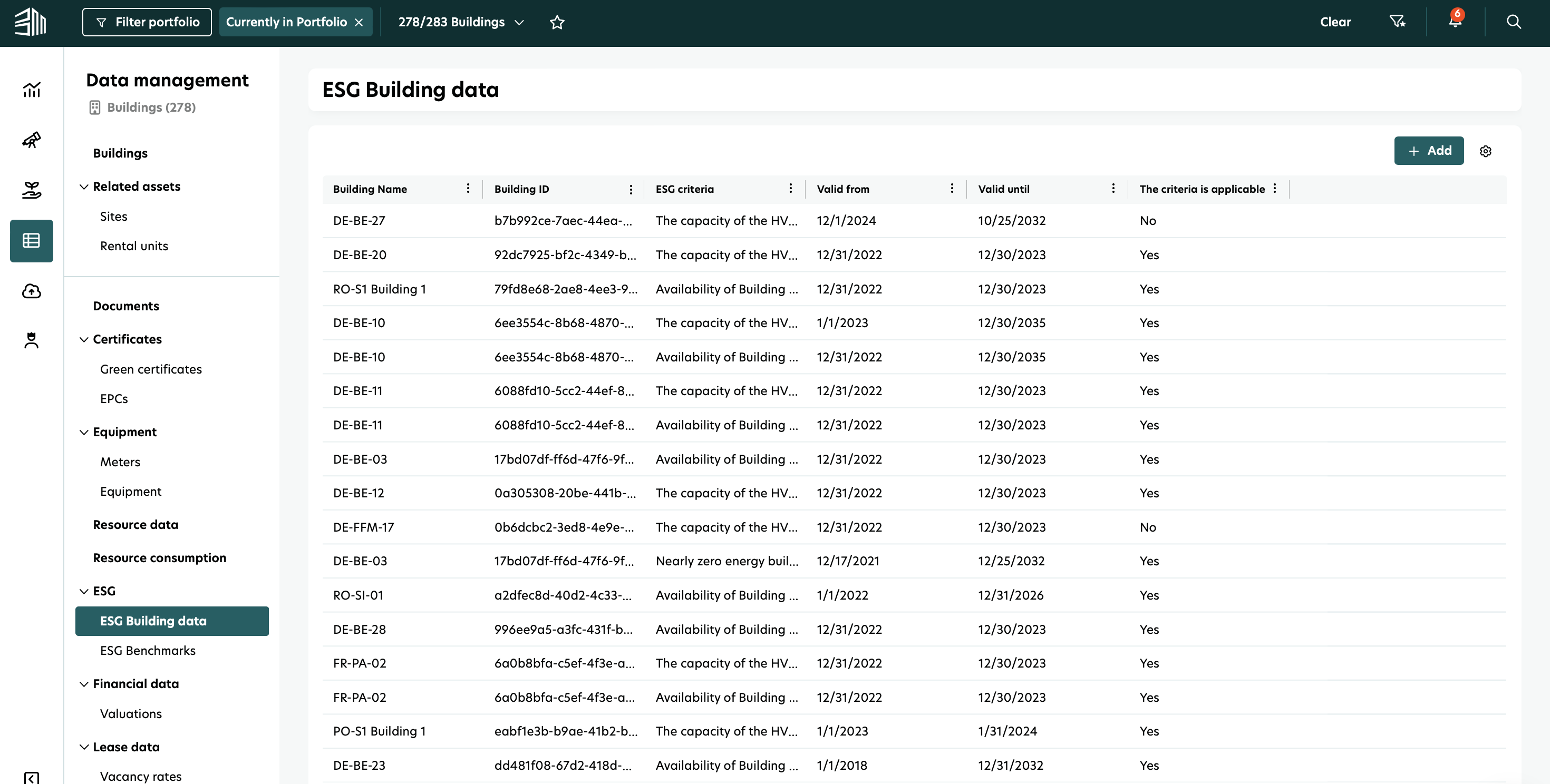
*Abhängig von der Auswahl des Portfoliofilters.
Es ist möglich, das Tabellenlayout nach Bedarf zu sortieren und anzupassen. Klicken Sie einfach auf das Werkzeugsymbol in der oberen rechten Ecke der Tabelle und aktivieren oder deaktivieren Sie die Kästchen. Sie können zum ursprünglichen Layout zurückkehren, indem Sie auf Tabellenlayout zurücksetzen klicken.
ESG-Gebäudedaten hinzufügen
Um neue Daten hinzuzufügen, klicken Sie auf die Schaltfläche +Hinzufügen in der oberen rechten Ecke.
Geben Sie die Informationen ein.
Wählen Sie Die Kriterien sind anwendbar, um sicherzustellen, dass sie in die Berichterstattung zur EU-Taxonomie einfließen.
Klicken Sie auf Speichern.
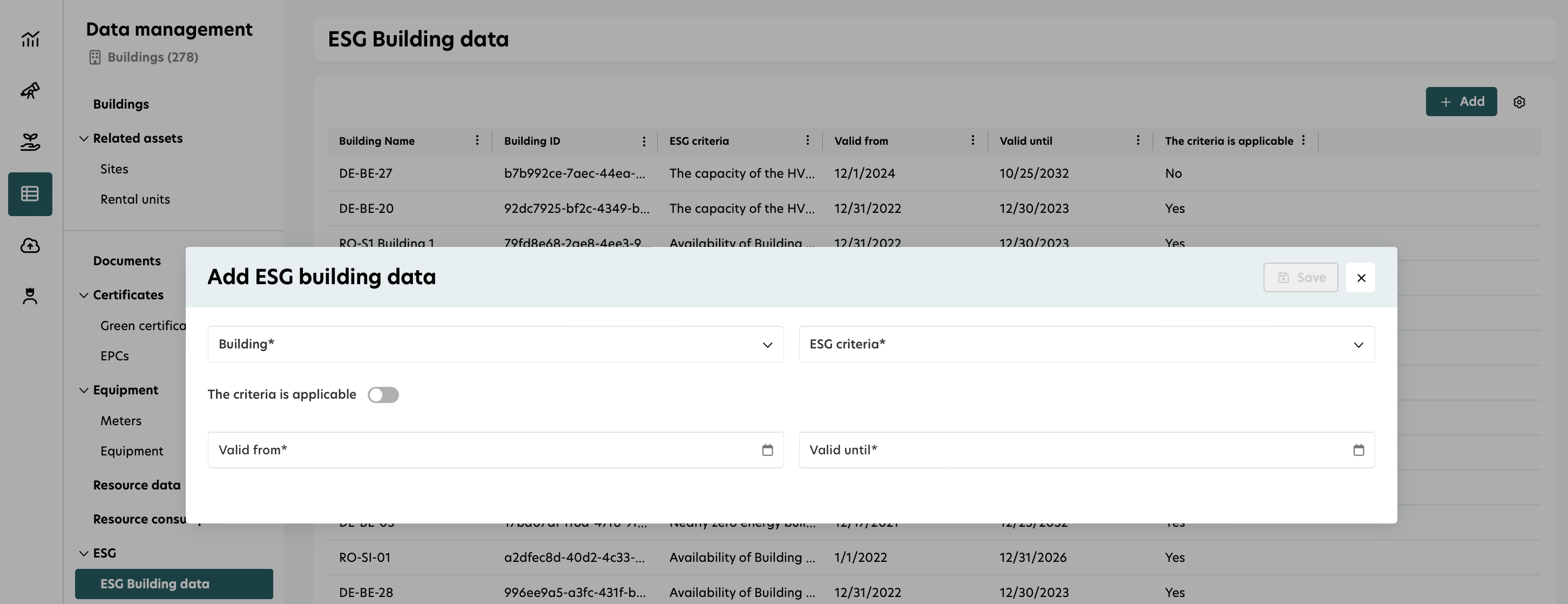
Das Gültigkeitsdatum bestimmt, ob die Informationen für ein bestimmtes Berichtsjahr in EU-Taxonomie-Formularen relevant sind. Wenn das tatsächliche Ablaufdatum unbekannt ist, empfehlen wir, ein ‚gültig bis‘-Datum weit in der Zukunft einzugeben. Dies hilft, die Notwendigkeit häufiger Aktualisierungen zu vermeiden.
ESG-Gebäudedaten bearbeiten
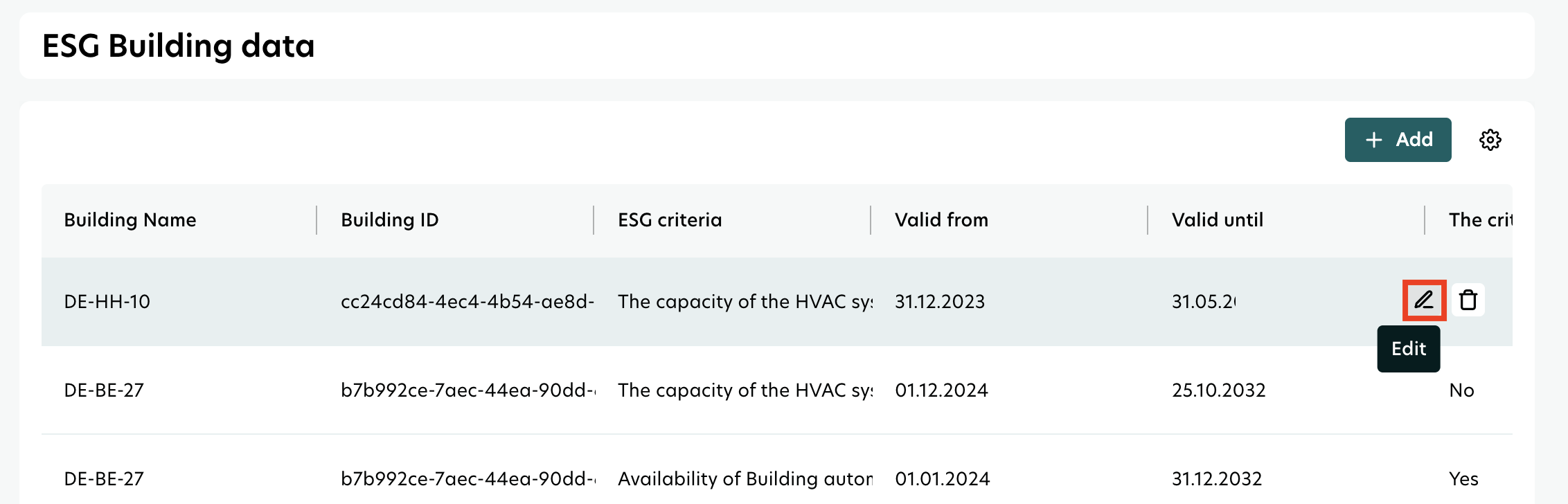
Fahren Sie mit der Maus über die Informationen - die Optionen werden entsprechend Ihrer Berechtigungsstufen angezeigt.
Klicken Sie auf das Bearbeiten-Symbol.
Passen Sie die Informationen nach Bedarf an.
Klicken Sie auf Speichern.