
Energy performance certificate (EPC) management
The EPC management feature enables you to add, edit, and delete energy performance certificates for buildings. This function helps track and maintain a building’s energy efficiency documentation, ensuring accurate data for analysis and reporting.
Overview
The EPC management feature allows users to:
View a list of all EPCs for selected buildings.
Add, edit, and delete EPCs.
Upload supporting documentation such as official energy performance certificates.
Record key data points including certificate type, validity, and energy demand metrics.
Access EPCs
Navigate to the Data management tab.
Open the EPCs section under Certificates to see a list of EPCs across the portfolio (if permissions allow).
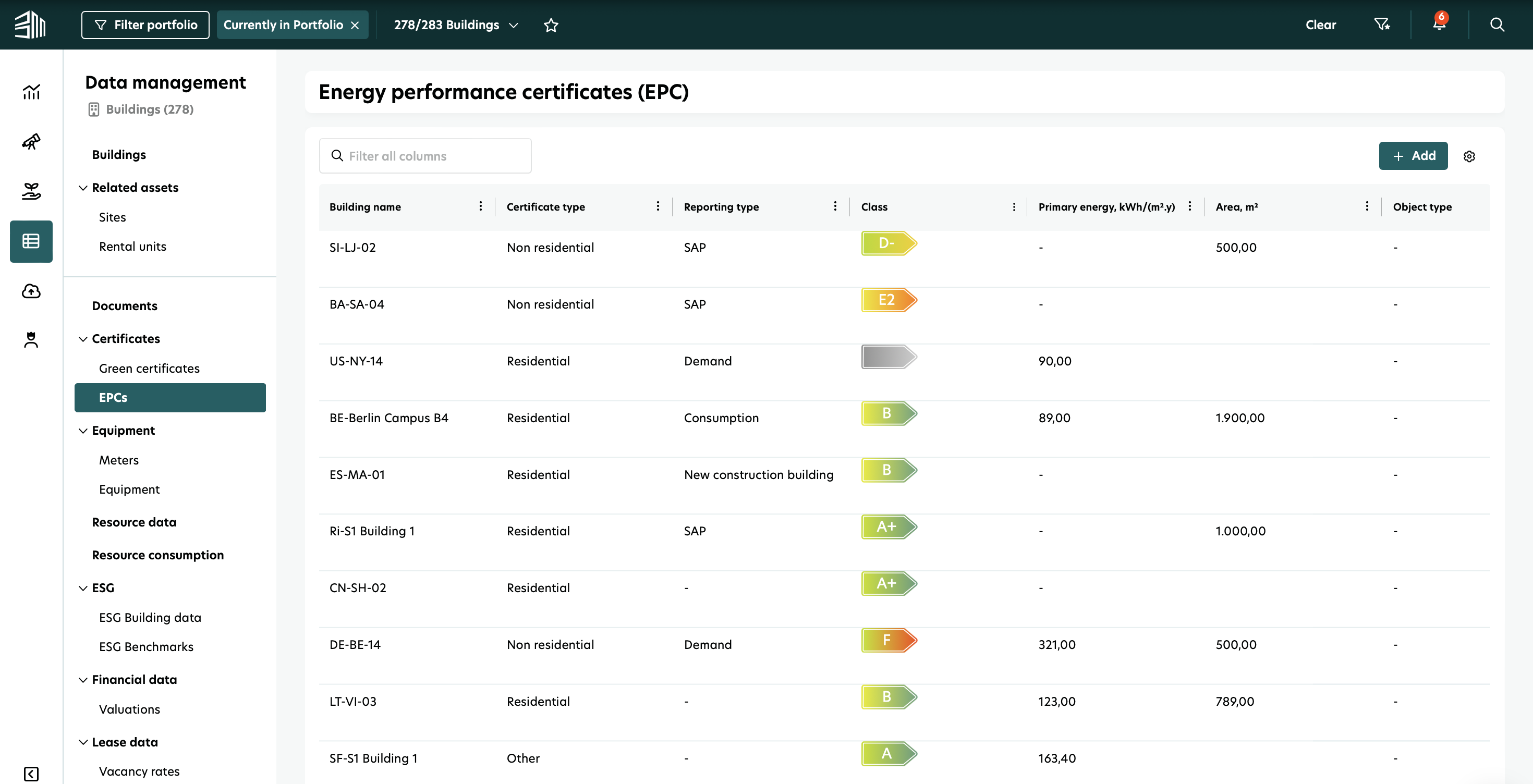
You can sort columns (ascending/descending) or hide/show specific columns by clicking the Settings icon. The list updates accordingly.
Add an EPC
To add a new EPC:
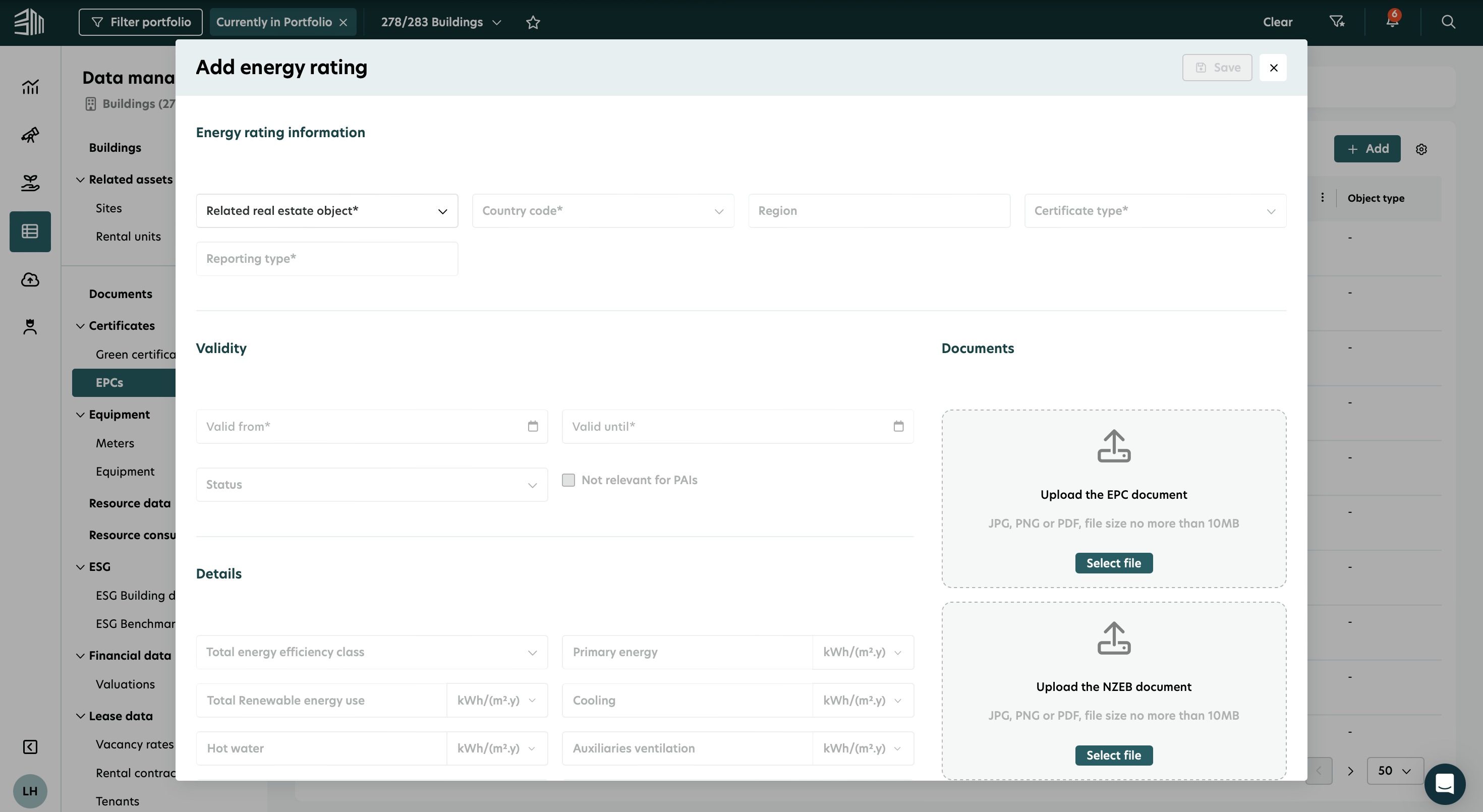
In the EPCs section, click + Add.
Fill in the mandatory fields:
Real estate object
Country code (pre-filled based on building location)
Certificate type (e.g., Residential)
Reporting type (e.g., Demand)
Valid from and Valid until
Optionally, you can also add:
Primary energy demand
Final energy demand
Electricity demand
Heating demand
Area and other relevant details
Upload the relevant certificate file.
Click Save to add the EPC to the list.
Edit an EPC
To edit an existing EPC:
Select the building from the list.
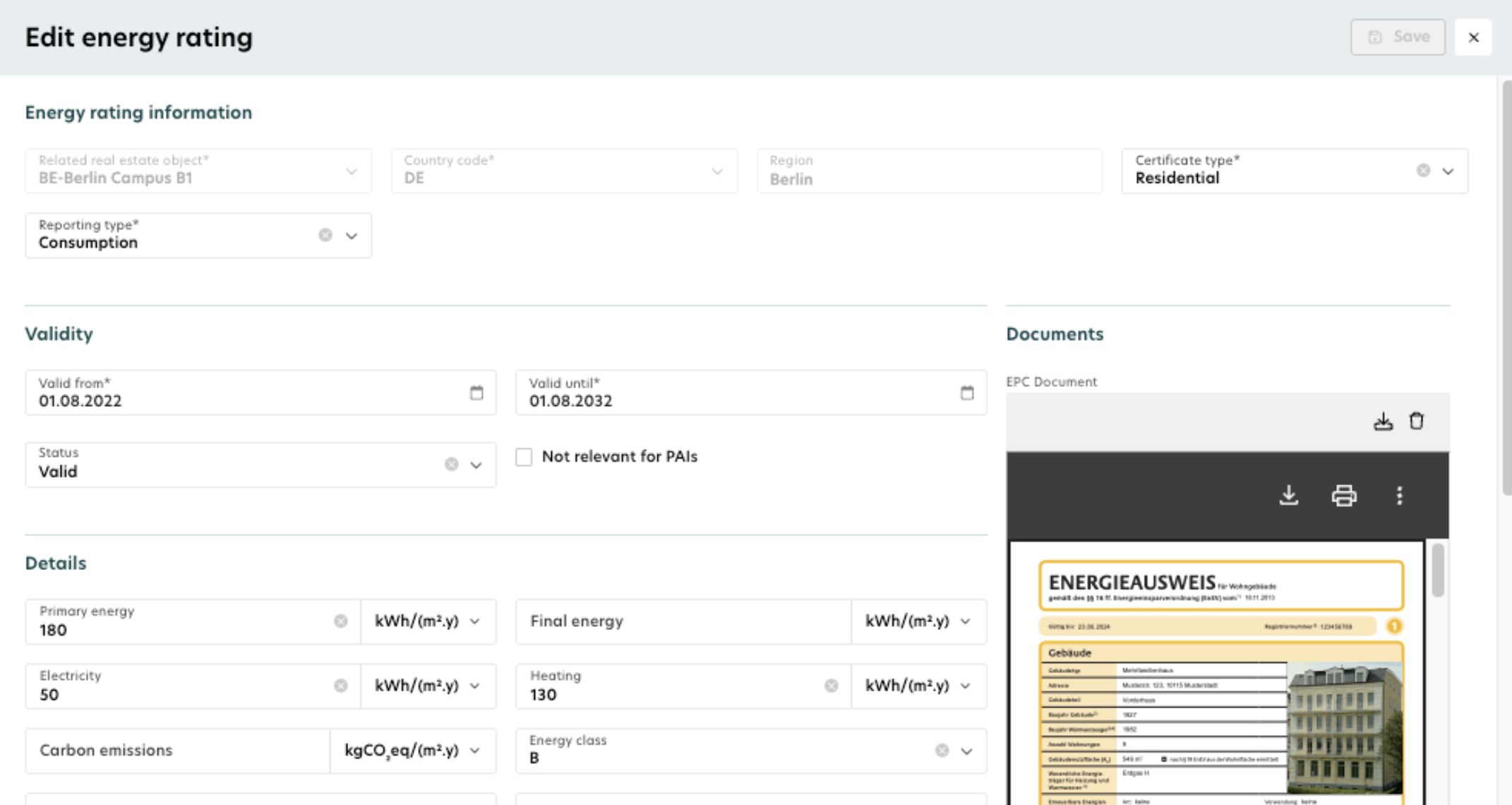
In the EPC information section, hover over the EPC and click on the Edit icon.
Update the required fields (e.g., energy rating class, energy demand values).
Click Save to confirm changes.
Delete an EPC
To delete an EPC:
Select the building from the list.
Hover over the EPC you want to remove from the list.
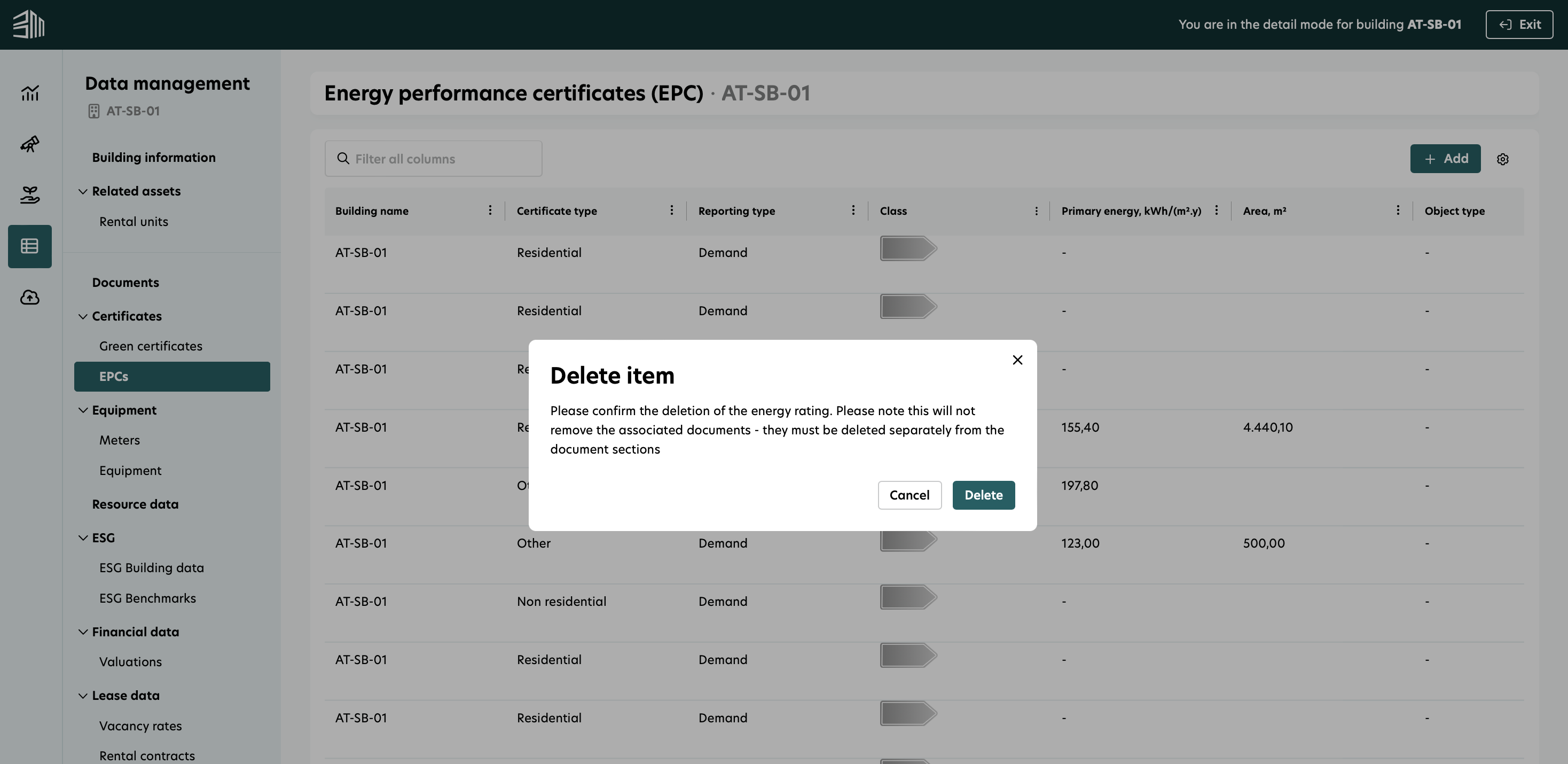
Click the Delete icon.
Confirm the deletion in the prompt.
View EPC details
The EPC list provides key details for each certificate, including:
Certificate type and reporting type
Validity date and status
Real estate object
Energy demand values (if provided)
