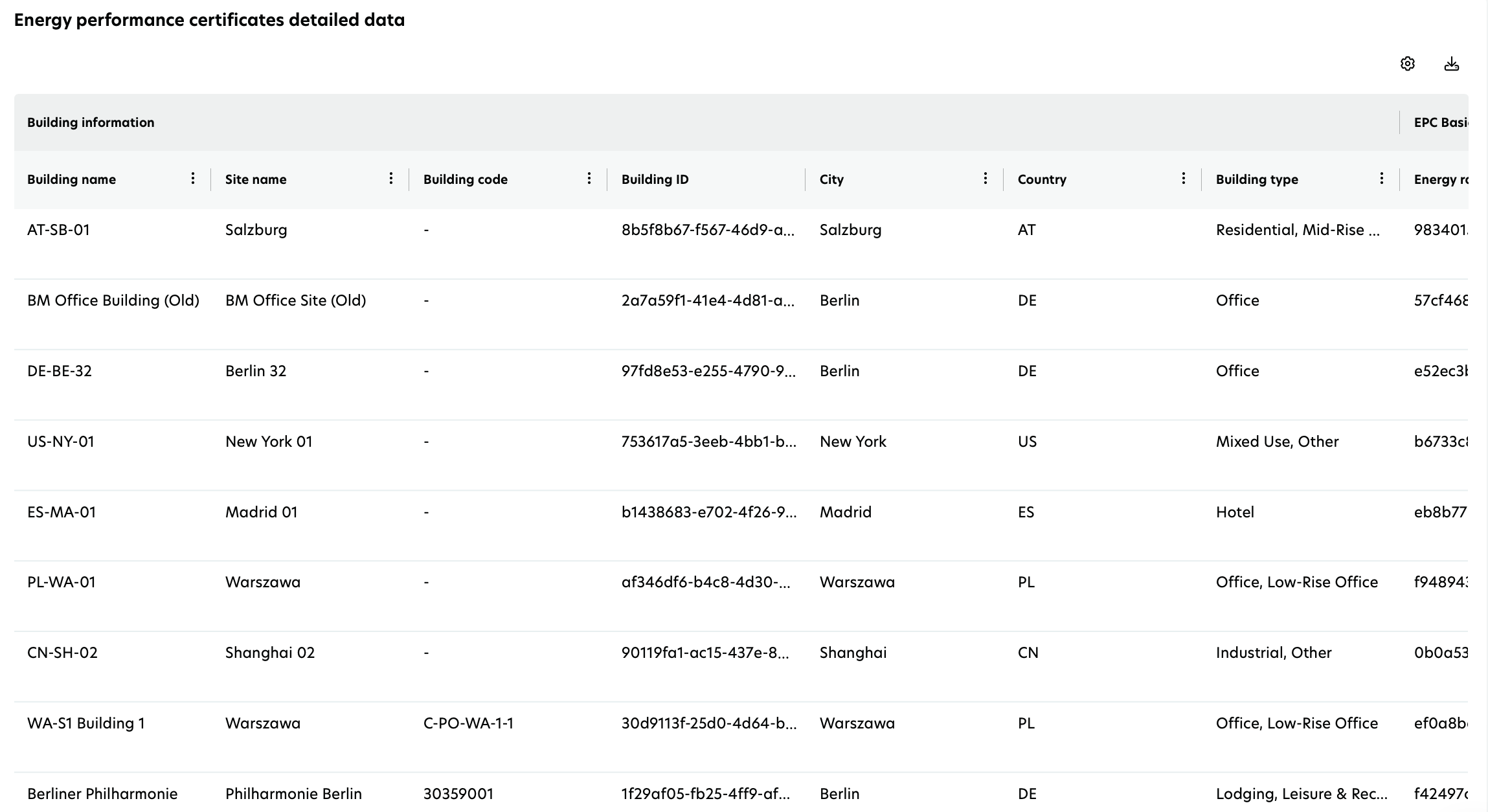
Energy performance certificates (EPC) report
The EPCs report provides insights into the energy efficiency of your buildings. It helps track compliance with regulatory standards such as SFDR and EU Taxonomy by showing valid EPCs and their classifications.
Filters for report customization
To control the EPCs report, you can apply:
Valid year: Select a future year to analyze EPC validity.
Certificate classes: Filter buildings by energy class.
Building metrics (affects charts and summary cards):
Count of buildings: View results based on the number of buildings. Each building is counted as one unit regardless of its size or value.
Energy reference area: View results in terms of total area (sum, in m²).
Gross asset value: View results in terms of valuation (in EUR).
These filters apply to the entire report.
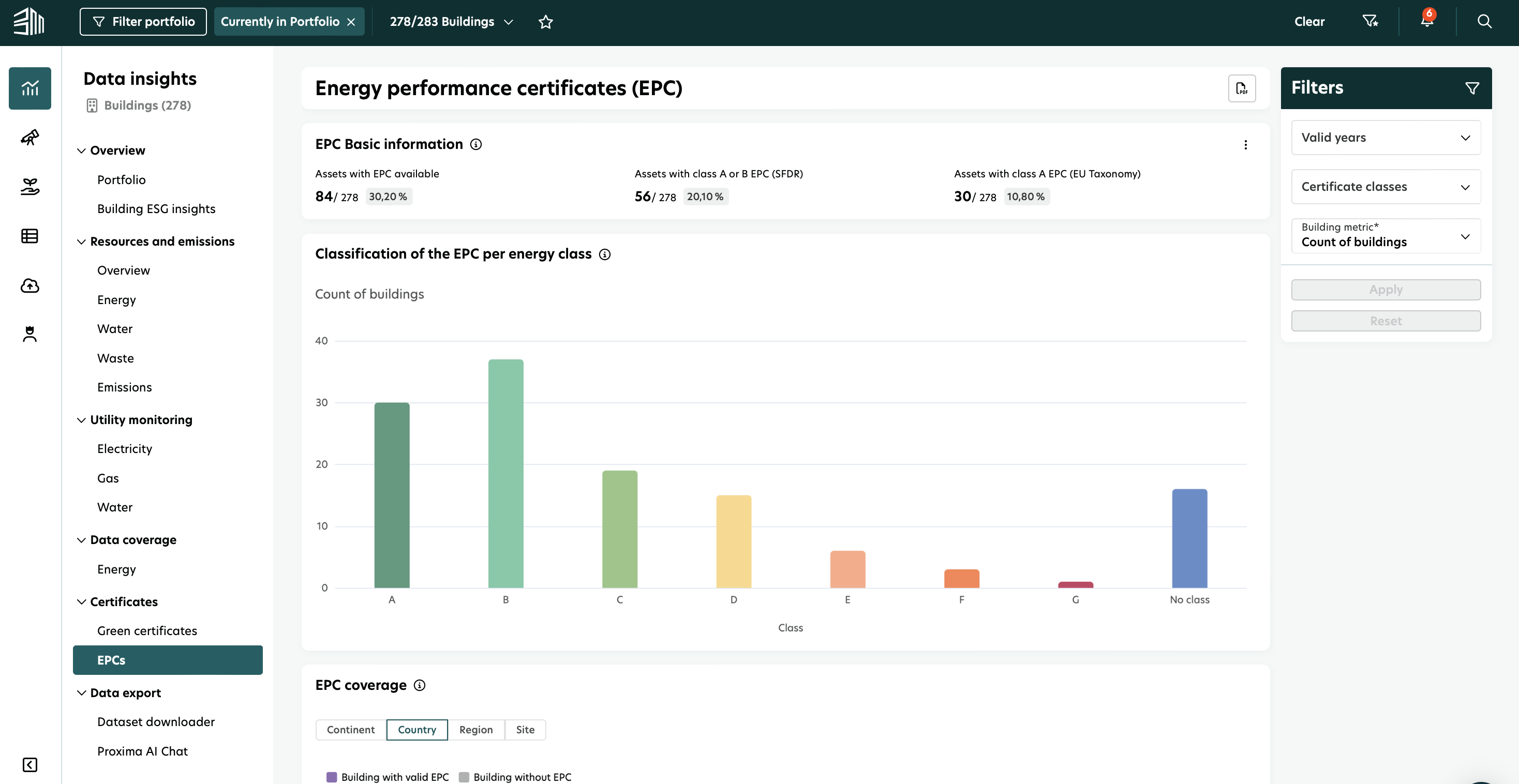
Key Performance Indicators (KPIs)
Four charts show the KPIs.
Chart 1: EPC Basic information
This chart displays:
Assets with EPC available: Shows the share of valid EPCs at the building or portfolio level.
Assets with Class A or B EPC (SFDR): Highlights buildings that comply with SFDR regulations.
Assets with Class A EPC (EU Taxonomy): Identifies buildings aligned with EU Taxonomy without additional comparison.
Note: This data represents the number of assets, not the number of EPCs.
All the above-mentioned KPIs concerning the energy reference area and gross asset value will also be available.
This chart provides an overview of the number of buildings with valid EPCs, the proportion of those with high energy efficiency ratings (Class A or B under SFDR, and Class A under EU Taxonomy), and their share in the portfolio.

Chart 2: Classification of the EPC per energy class
This bar chart categorizes valid EPCs by energy class. When hovering over the bars, you can view:
Energy class
Metric associated with the selected filter (e.g., gross asset value (GAV), count of buildings, or energy reference area)
Total valid EPCs
This bar chart shows the distribution of EPCs across different energy classes, allowing you to assess how your portfolio is categorized. The displayed metric (GAV, building count, or energy reference area) dynamically changes based on the selected filter, providing flexible insights into portfolio composition.
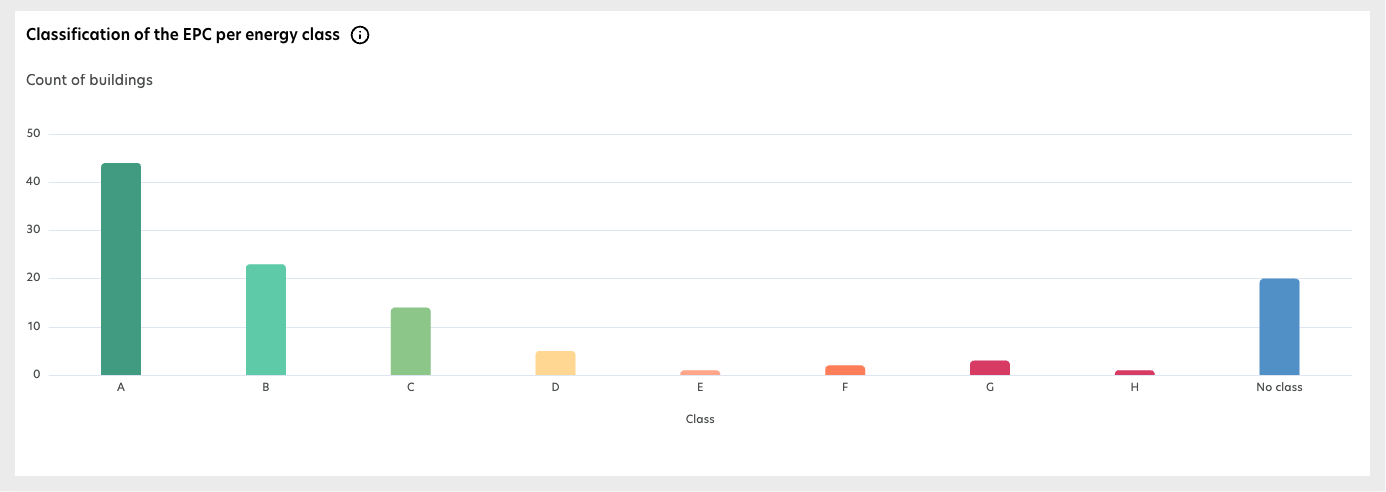
Chart 3: EPC coverage
This chart shows the geographic distribution of valid and missing EPCs across:
Continent
Country
Region
Site
It visualizes EPC coverage at different geographical levels, highlighting buildings with and without valid EPCs to help identify certification gaps.
Sustainability and asset managers can check the number of buildings with valid EPCs at any level, as well as the gross asset value and energy reference area covered by those EPCs.
Property managers can view site-level data and take appropriate actions.
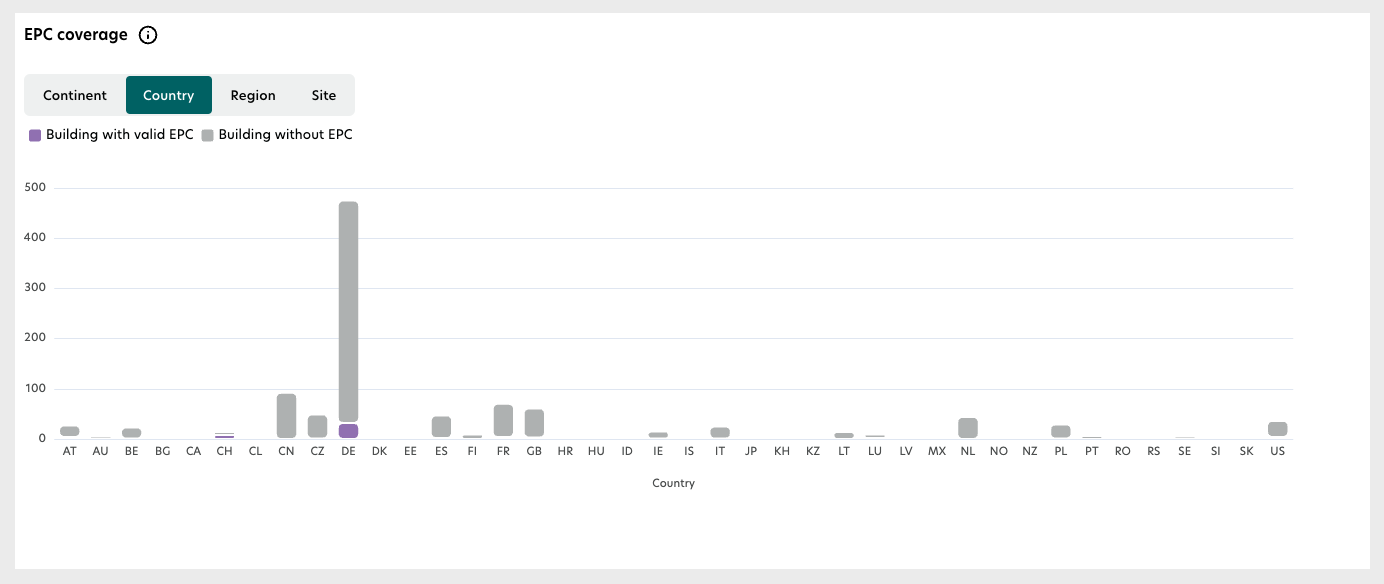
Chart 4: Energy performance certificates detailed data
This detailed breakdown table offers downloadable .CSV or .XLS files containing:
Building and site details: Name, code, city, and property type.
EPC specifics: Energy class, validity date, and status.
Energy-related metrics: Final energy, primary energy, and NZEB status.
Customization options: Expand, hide, or sort columns as needed.
The table provides a comprehensive list of EPC details, including energy class, validity, and energy performance metrics. You can download this data for further analysis and reporting.